 Liwu
Liwu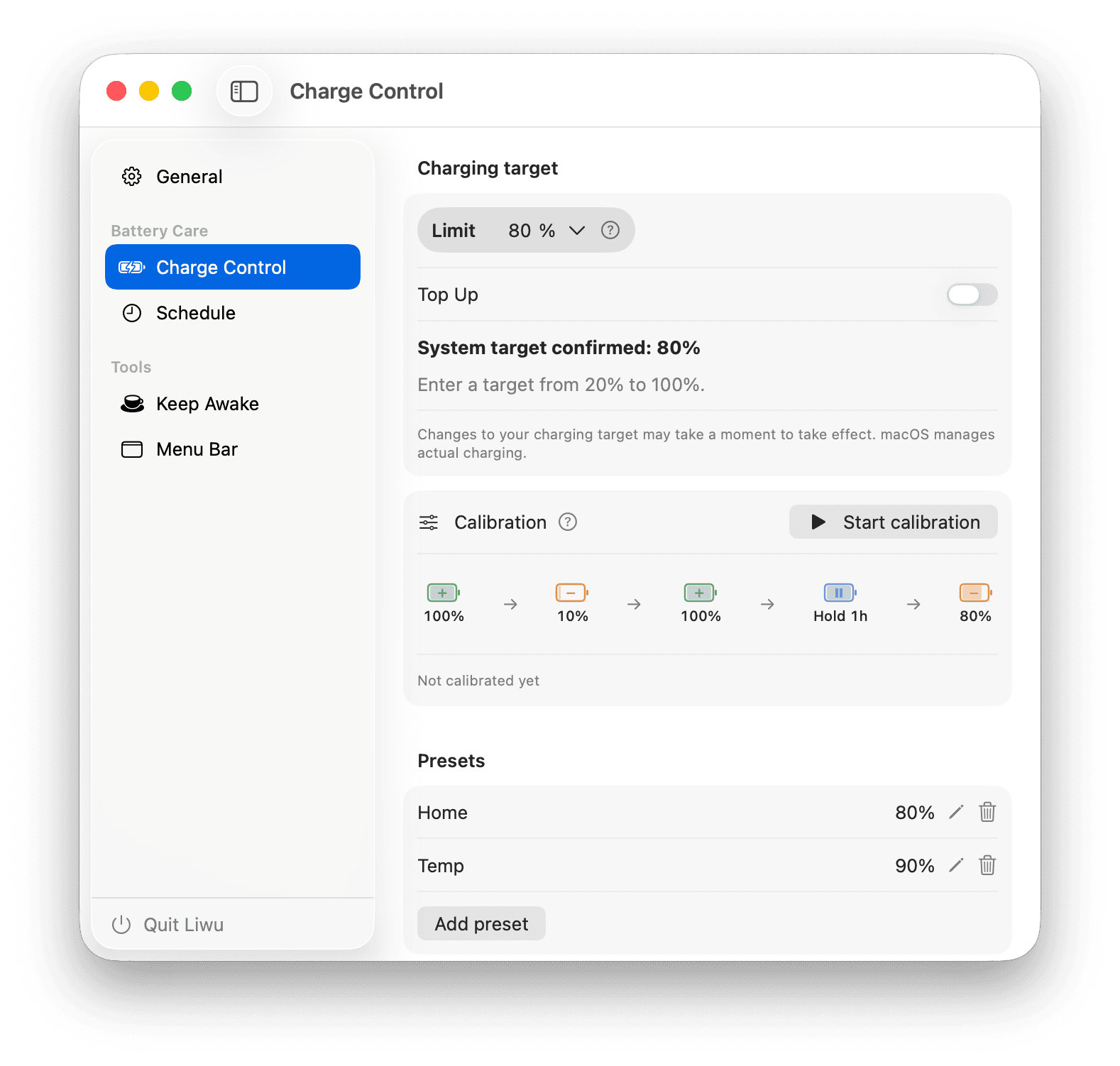
Charge limits. Tidy menu bar.
A better Mac day.
Set a MacBook charge limit, see where power comes from, and hide the menu bar icons you rarely use. Add Sailing, calibration, and schedules with Pro. Small, native tools that stay out of your way.
Apple Silicon · macOS 26.7+
- 20–100%
- Targets on supported Macs
- 1×
- Pro purchase
Regular target · 80%
Kept during calibration
Keep Awake
Battery calibration
Five guided steps
Liwu at a glance
The product facts most people need before installing Liwu.
- Compatibility
- Apple Silicon MacBook · macOS 26.7+
- Price
- Core features free · Pro $9.99 one-time
- App data
- Battery, configuration, and usage data stay on your Mac
- System access
- One approved local helper submits targets and runs system tools
- Current release
- 2.2.5 · 2026-10-04
Charging & power · Free
A target that fits your day
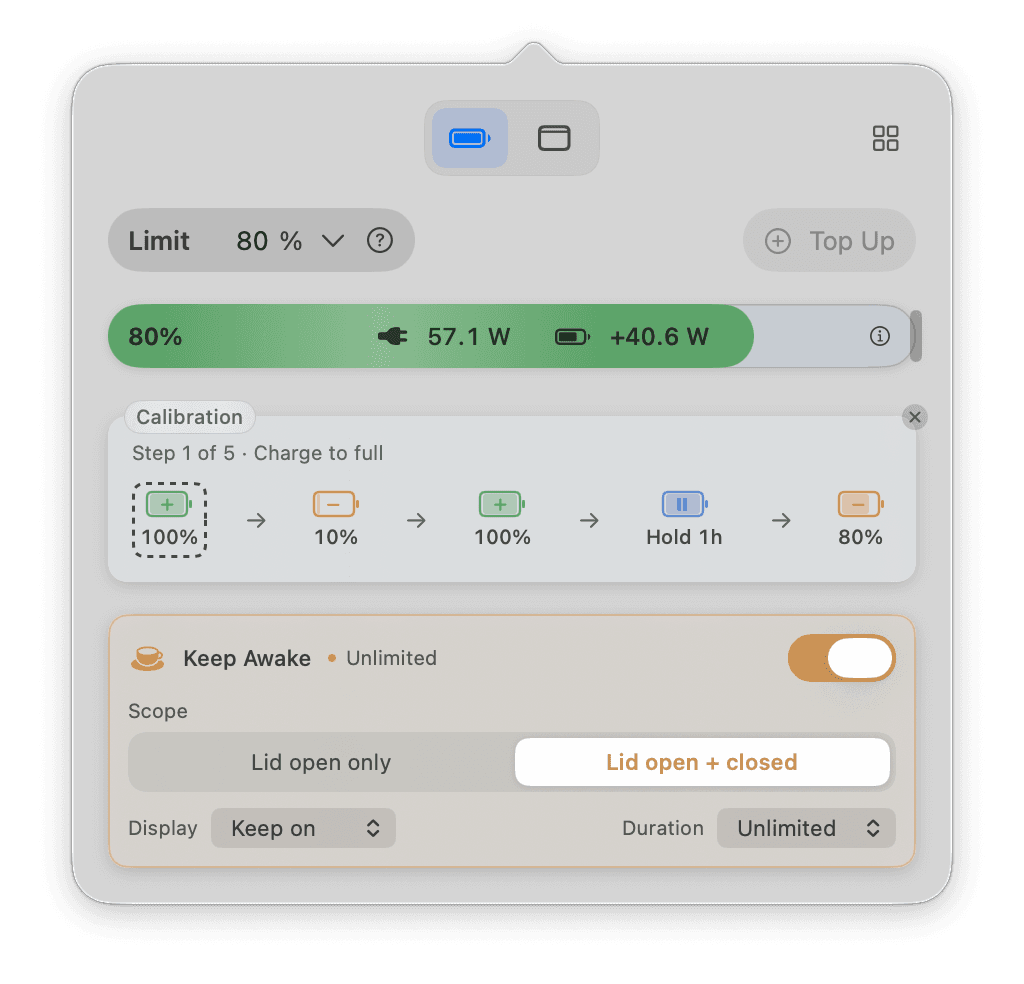
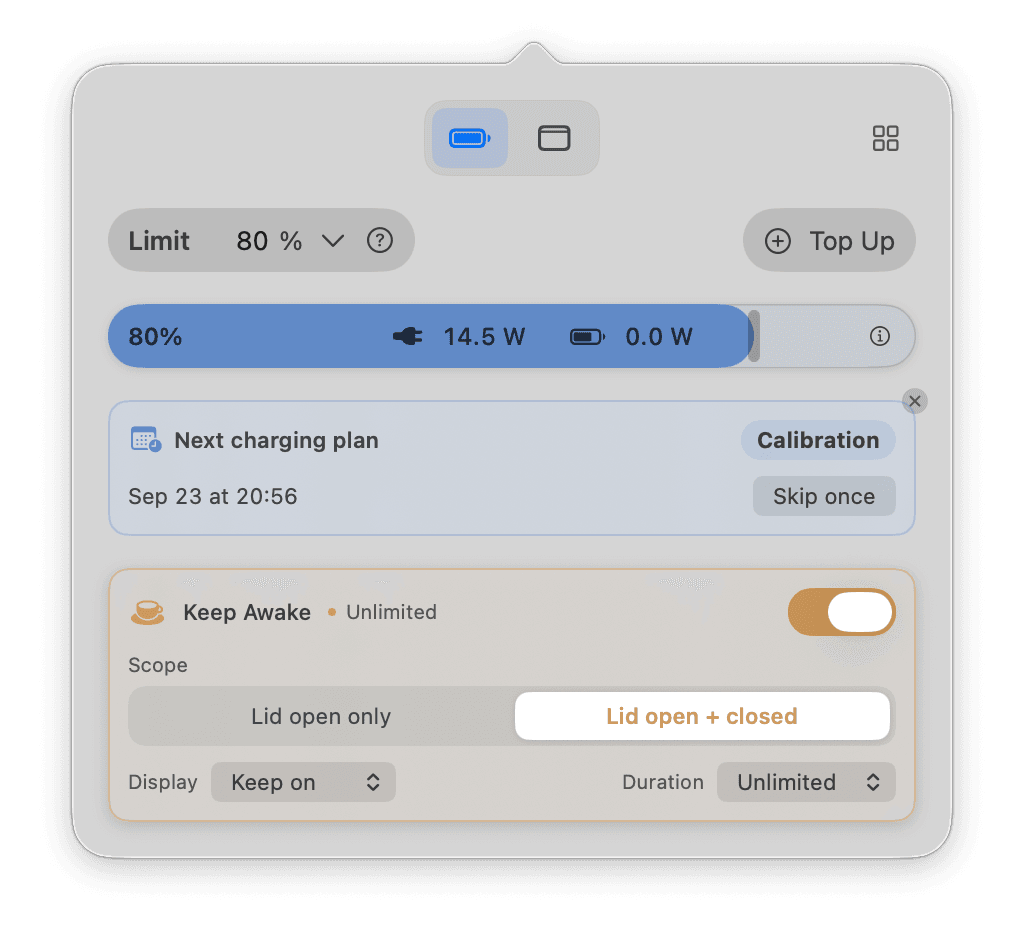
Choose a target from 20% to 100% on supported Macs. The battery bar puts your level, target, adapter input, and battery charging or discharging power in one place.
- Targets below 80% appear after a capability check
- Save presets; use Pro Top Up when you need 100%
- Low targets use raw battery capacity, so the displayed percentage can differ
Menu bar · Free
Keep the icons you reach for
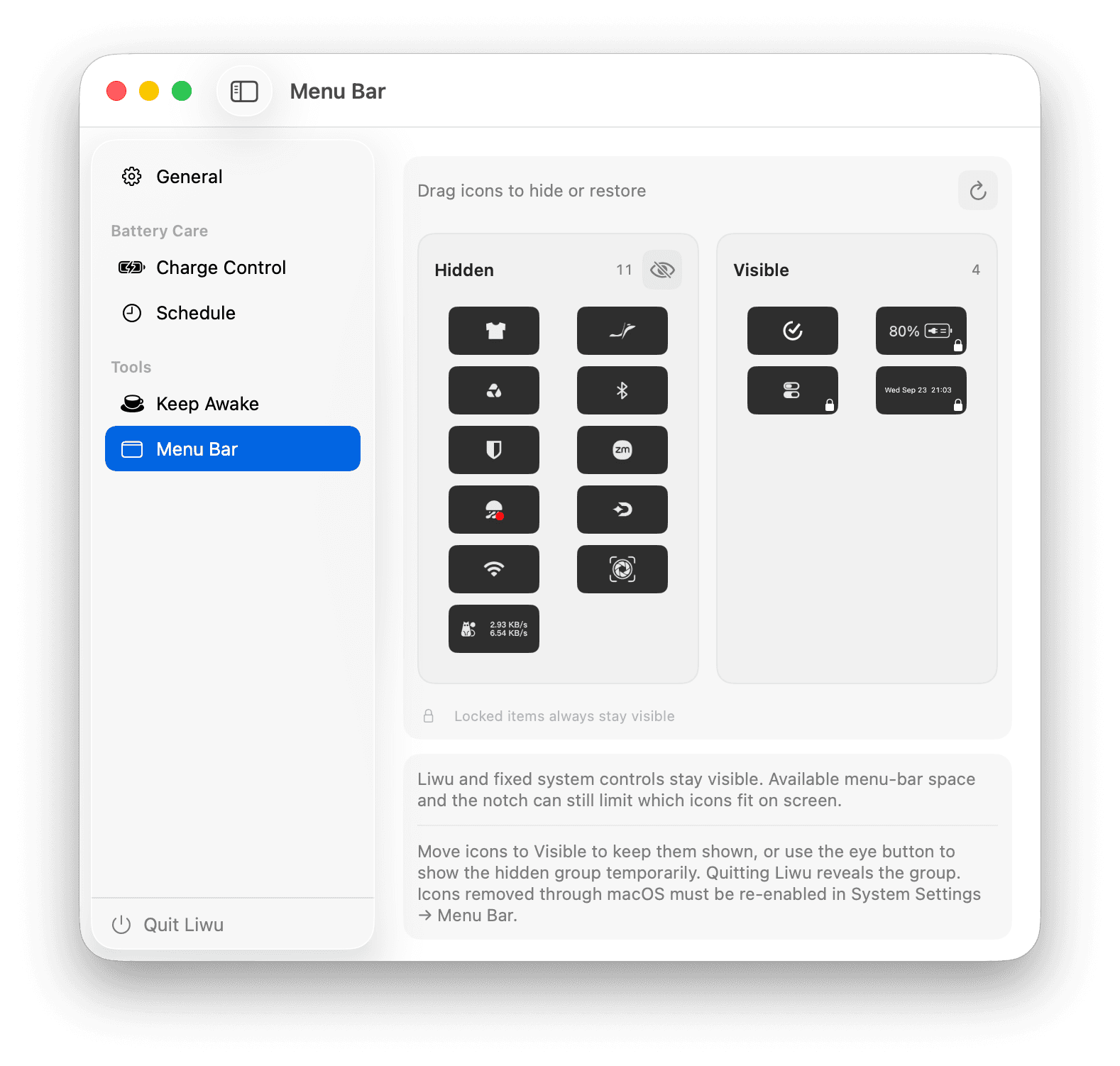
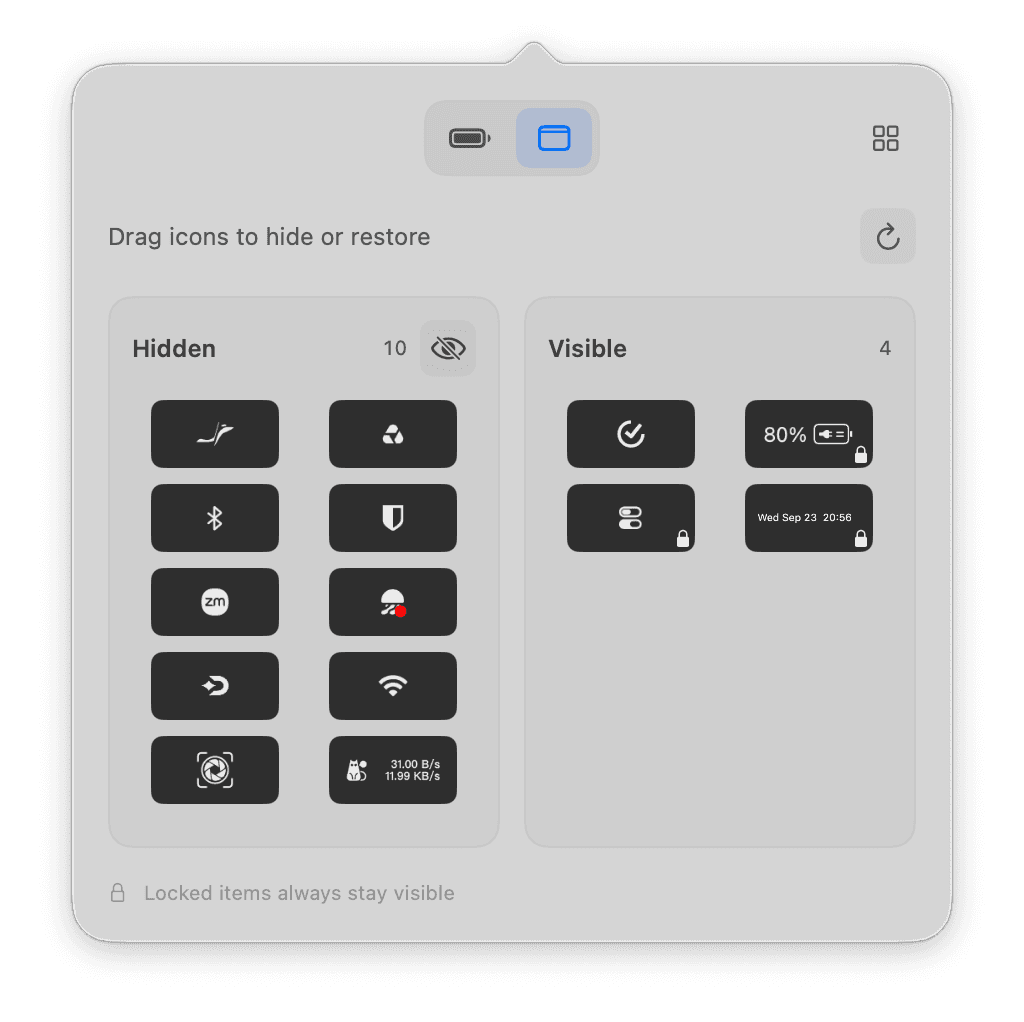
Drag real icons between Hidden and Visible inside Liwu. Both groups stay within reach, with a temporary reveal button when you need the hidden ones.
- Manage from the popover or the main window
- Liwu and fixed system controls stay visible
- Accessibility moves icons; Screen Recording reads their images locally
Battery calibration · Pro
One cycle. Every step in view.
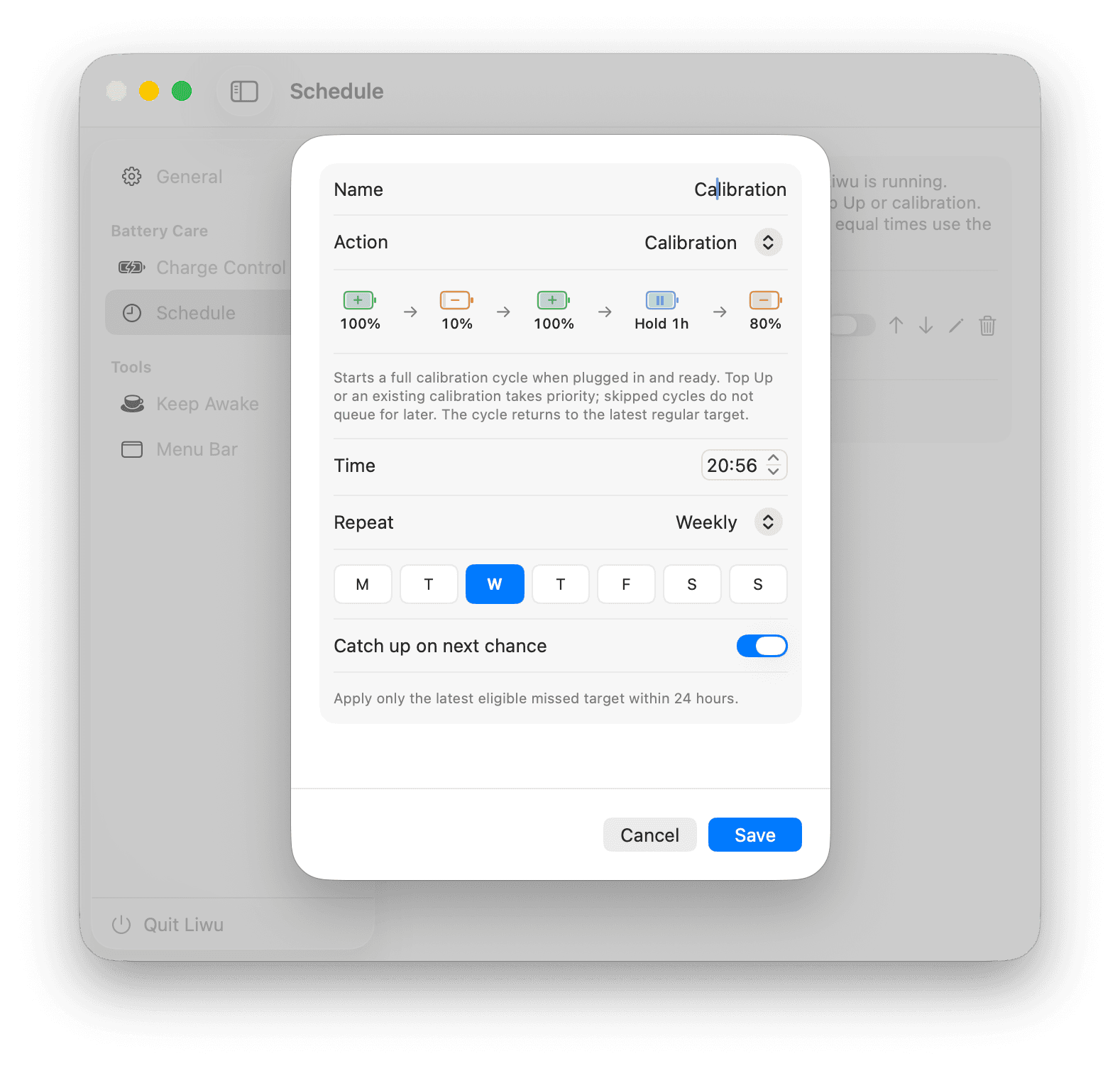
Follow a five-step cycle: charge to full, discharge to 10%, charge to full again, hold for an hour, then return to your regular target. Keep power connected and leave Liwu running.
- Start manually or from a calibration plan
- Progress follows battery readings, not just the displayed 100%
- Requires available low-target control and Optimized Battery Charging turned off
Long jobs, uninterrupted
Let your AI keep working when you step away.
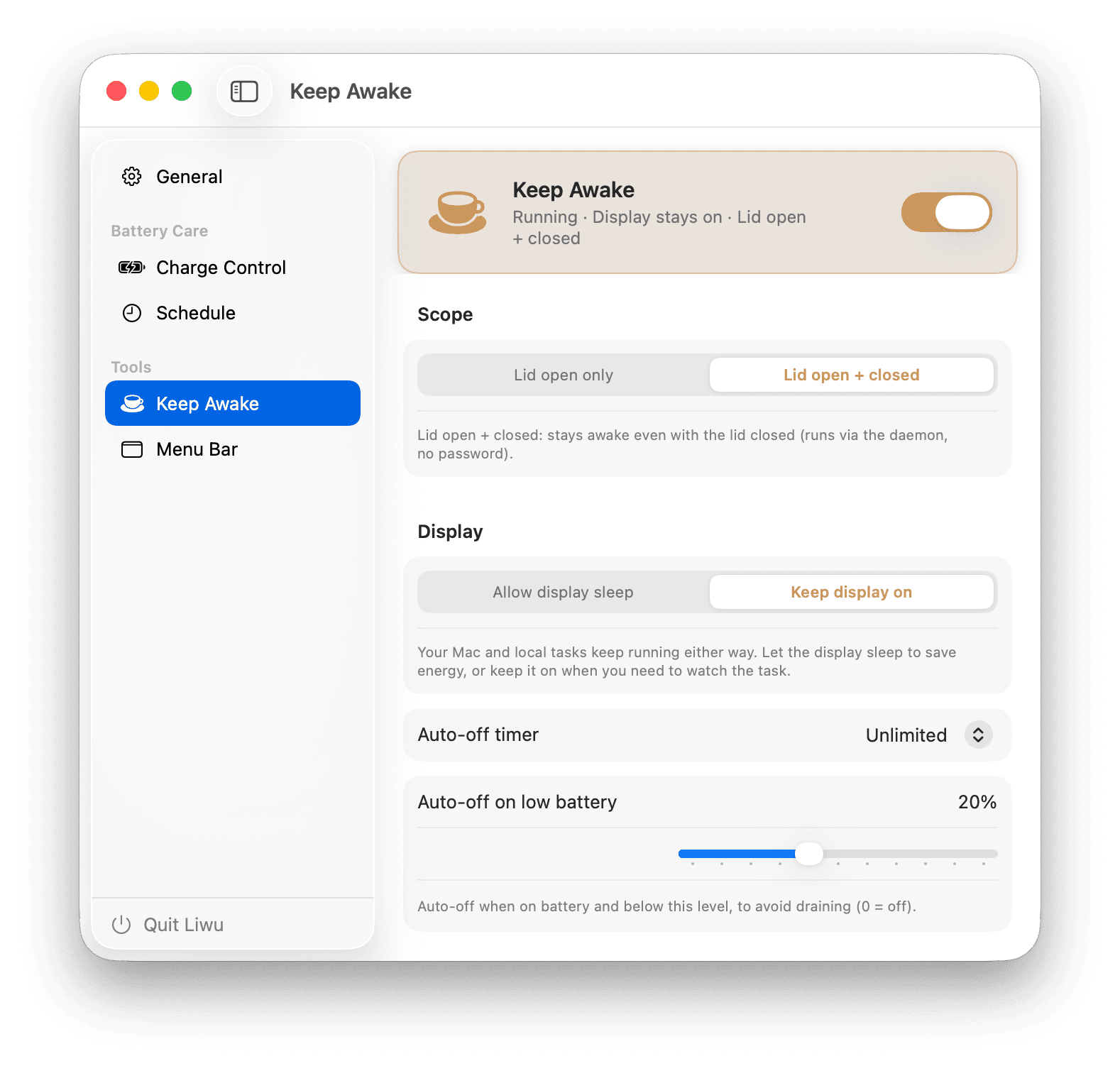
Keep local coding agents, builds, tests, renders, and downloads running while your display sleeps. Add a timer or low-battery cutoff, or keep working with the lid closed with Pro.
- Mac stays awake while the display may sleep
- Timer and low-battery cutoff
- Lid-closed operation · Pro
Plans · Pro
Targets and calibration, on your schedule
Create a target plan or a calibration plan. Choose when it runs and whether missed tasks can catch up while Liwu is running.
- Once, daily, weekly, biweekly, or monthly
- Preview, skip once, or disable the next plan from the popover
- Calibration requires power; busy or unavailable cycles are skipped, not queued
All features at a glance
The free tier already delivers; Pro unlocks advanced features, convenience, and automation.
Charging targets · 20–100%
Below 80% requires supported low-target control; otherwise the minimum stays at 80%.
Named presets
Save your favorite targets and switch between them.
Power in the battery bar
Adapter input and signed battery power, with charge direction and details on demand.
Menu bar organization
Drag real icons between Hidden and Visible. Temporarily reveal your hidden group.
Optimized Battery Charging
See when OBC conflicts with charging management and turn it off from Liwu.
Keep Awake · Lid Open
Keep long jobs running with a timer and low-battery cutoff.
Top Up
Temporarily request 100% without losing your regular target.
Sailing · Charging range
Choose a 5–20 percentage-point drop before recharging. Requires verified firmware support, even with a limit of 80% or higher.
Battery calibration
A visible five-step cycle that returns to your latest regular target.
Target & calibration plans
Schedule targets or full calibration cycles, with skip-next and catch-up controls.
Keep Awake · Lid Closed
Keep working with the lid closed using the approved local helper.
MacBook Battery Guides
Practical explanations of charge limits, battery health, and how macOS charging behavior works.
How to Keep a Mac Awake for AI Agents and Long-Running Tasks
Keep local AI coding agents, builds, tests, renders, and downloads running while a Mac display sleeps, using macOS settings, caffeinate, or Liwu.
Is a MacBook Charge Limiter Safe?
How to evaluate a MacBook charge limiter: signing and notarization, privileged helpers, network access, charging conflicts, and complete removal.
Pricing
Download free to use the core features. Want everything? Pro is a one-time purchase.
| Feature | Free $0 | Liwu Pro $9.99 one-time |
|---|---|---|
| Charging targets · 20–100% | ||
| Named presets | ||
| Power in the battery bar | ||
| Menu bar organization | ||
| Optimized Battery Charging | ||
| Keep Awake · Lid Open | ||
| Top Up | ||
| Sailing · Charging range | ||
| Battery calibration | ||
| Target & calibration plans | ||
| Keep Awake · Lid Closed |
One-time purchase · no subscription · Liwu 1 Pro also unlocks Liwu 2 Pro.
Useful tools, right in your menu bar
Charging targets and Keep Awake, together in Liwu 2.
Apple Silicon · macOS 26.7+
FAQ
Is it safe? Why does it need a background daemon?
Charging and lid-closed Keep Awake use a signed local helper. Without Sailing, targets from 80% use the native system interface. Lower targets, calibration, and Sailing require verified firmware support and readback checks. Menu bar organization separately needs Accessibility and Screen Recording; icon images remain on your Mac.
Will it harm the battery?
Capping charge and reducing time spent at full charge or high temperature can reduce two important sources of battery ageing. No app can guarantee a particular battery lifespan.
Which models are supported?
Liwu 2 requires macOS 26.7 or later on an Apple Silicon MacBook. Liwu 1 is frozen for macOS 14 through versions before 26.7.
Why can my Mac only select 80% or higher?
Liwu checks low-target capability on your Mac. If support is unavailable or cannot be confirmed, it keeps new targets at 80–100% and explains why. It does not silently replace a saved low target with 80%.
What does Sailing do?
Choose a 5–20 percentage-point drop before recharging. Requires verified firmware support, even with a limit of 80% or higher. Your Limit is the upper endpoint; the lower endpoint must be at least 20%. Top Up temporarily suspends the interval, and calibration restores it at the return step. Settings use raw capacity rather than the displayed percentage.
Does calibration restore battery health?
No. Calibration is a controlled charge-and-discharge cycle. It does not reverse chemical ageing or promise extra battery capacity. A full cycle takes time; you can stop it and return to your regular target.
Is the free tier free forever?
Charging targets, presets, power readouts, menu bar organization, OBC controls, and lid-open Keep Awake are free.
How is Pro priced?
Pro is a $9.99 one-time purchase. Existing Liwu 1 Pro purchases also unlock Liwu 2 Pro.
How many devices? Can I get a refund?
One license can activate several personal devices; refunds are supported — see the Refund Policy.
How do I report a bug or request a feature?
Open an issue on GitHub — bug reports and feature requests are both welcome. Prefer email? Write to us any time.